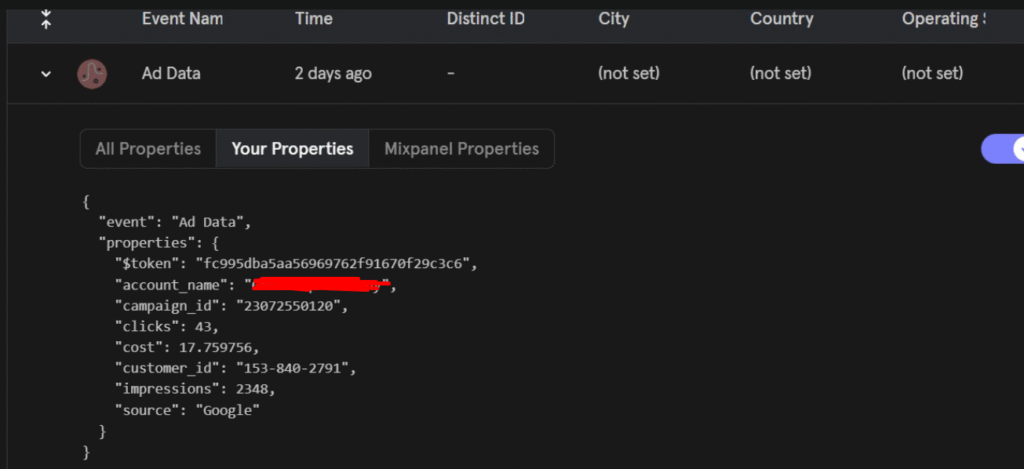
To keep your data fresh, you’ll want the function to run automatically once a day.
We’ll use Google Cloud Scheduler to trigger the Cloud Function every morning at 8 AM UTC.
- Go to Cloud Scheduler in your project
(or visit:https://console.cloud.google.com/cloudscheduler) - Enable the Cloud Scheduler API if prompted.
- Click Schedule a job.
Job Details
- Name: e.g.
gcf-ads-google-daily - Region: Same region as your Cloud Function
- Frequency:
0 8 * * *This cron expression runs the job every day at 8:00 AM. - Timezone:
Select Coordinated Universal Time (UTC), or your preferred timezone.
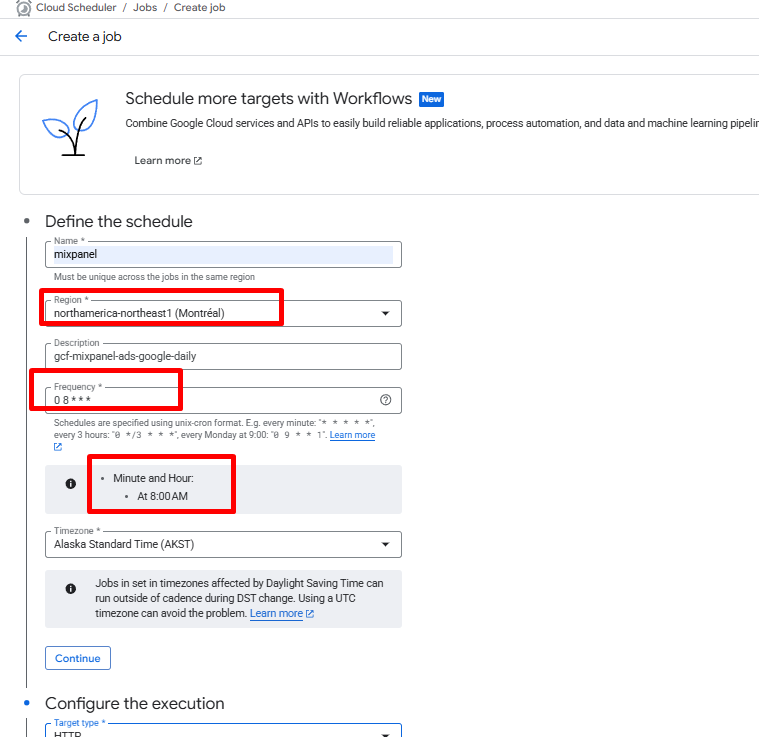
Click Continue.
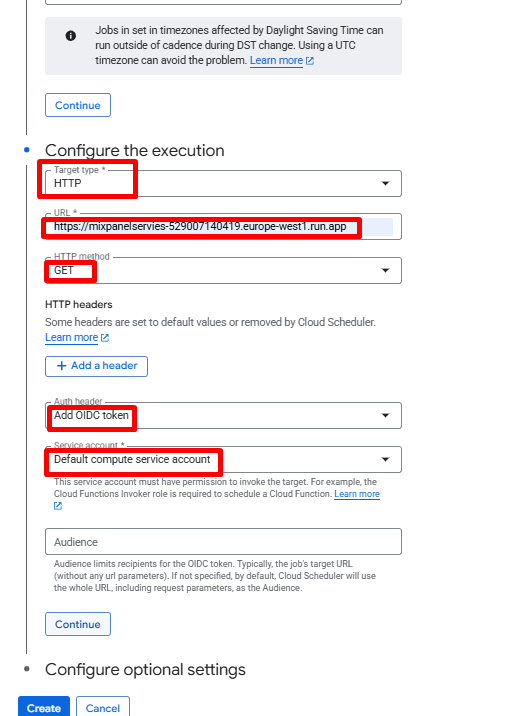
Execution Configuration
- Target type: HTTP
- URL: Paste the Cloud Function trigger URL you saved earlier.
- HTTP method:
GET - Auth header: Select Add OIDC token
- Service account: Choose a service account with permission to invoke the Cloud Function
(i.e. it has the Cloud Functions Invoker role).
Click Create.
Your scheduled job is now live.