
Integrating Amplitude with Snowflake gives product, data, and growth teams a powerful advantage: a single, unified source of truth for both user behavior data and enterprise data. This connection allows you to combine product analytics with business metrics, run advanced data science workflows, and unlock deeper insights that drive meaningful growth.
Why Integrate Amplitude with Snowflake?
Snowflake provides massively scalable storage and compute for advanced analytics
Amplitude captures rich, granular user behavior data—events, sessions, user properties, cohorts.
Together, they enable a 360° view of your users, from product engagement to revenue impact.
With Amplitude Snowflake integration, companies can unify:
- Product usage
- Marketing data
- Customer support data
- Sales and revenue metrics
- Operational and BI sources
Benefits of Amplitude + Snowflake Integration
1. Centralized Data Storage
Syncing Amplitude data into Snowflake allows you to store all user engagement data in a single environment.
This makes it easier to:
- Track historical trends
- Build permanent analytics models
- Support multi-year longitudinal analysis
2. Enhanced Product Development Insights
With Amplitude event data available alongside:
- Support tickets
- User feedback
- CRM data
- Lifecycle data
3. Advanced Analytics and Data Science Workflows
While Amplitude excels at behavioral analytics, Snowflake is built for advanced computation.
Snowflake supports:
- Predictive modeling
- Machine learning
- AI workflows
- Integrations with Spark, TensorFlow, dbt, and BI tools
This allows teams to run deeper:
- Churn prediction
- LTV modeling
- Personalization algorithms
- Feature scoring
4. Secure and Simple Data Sharing
Snowflake makes data sharing frictionless between:
- Internal teams
- Partners
- Vendors
- Business units
Amplitude data inside Snowflake can be shared securely and selectively—improving alignment and collaboration.
5. Streamlined and Reliable Data Pipelines
Amplitude’s Snowflake integration:
- Reduces manual data transfer
- Minimizes engineering overhead
- Maintains consistent, automated data deliveries
This ensures that your data is accurate, fresh, and available across your analytics stack.
Prerequisites for Amplitude & Snowflake Integration
Before beginning, ensure you have:
Amplitude
- An active Amplitude account
- Access to the project you want to export
- Permissions to manage data export destinations
Snowflake
- An active Snowflake account
- Permissions to create tables and load data
- Snowflake connection details:
- Account name
- Username
- Password / key pair
- Warehouse name
- Schema name
- Role with write access
- Database name
- Account name
Data Selection
Decide which events and user properties you want to export.
How to Integrate Amplitude with Snowflake
Amplitude provides a native export flow that sends data directly to your Snowflake instance.
Follow the steps below.
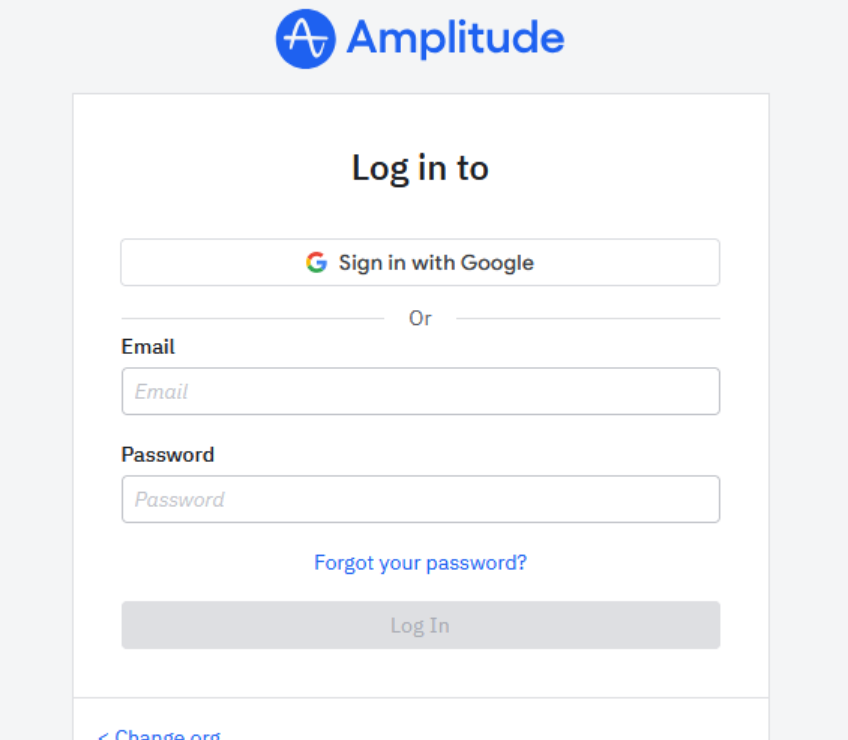
1. Log In to Amplitude
Sign in to your Amplitude account and navigate to the project you want to export.
2. Navigate to Data → Destinations
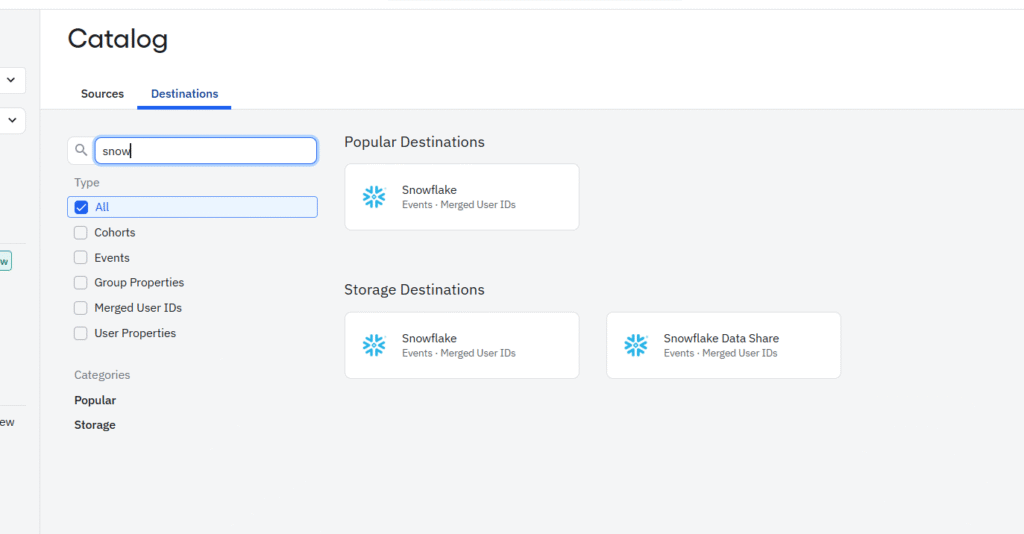
Within Amplitude, go to:
Data → Catalog → Destinations
3. Select the Data You Want to Export
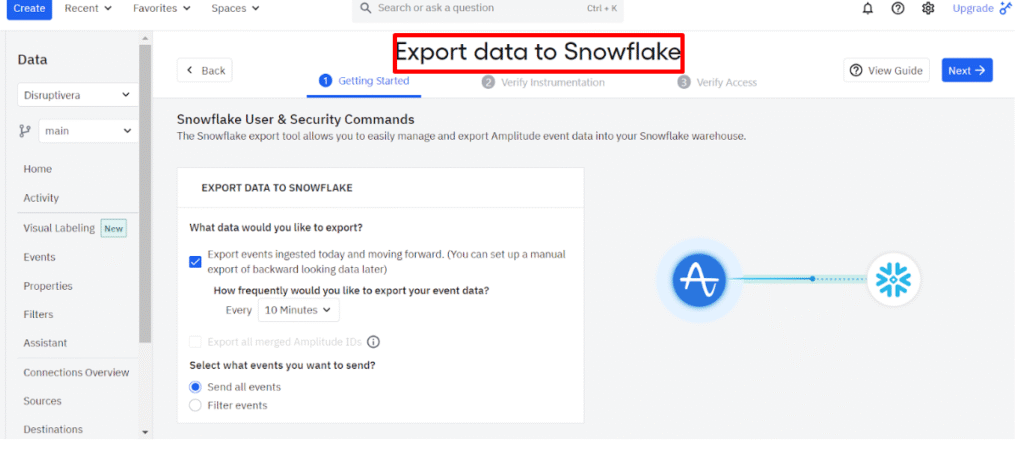
Under Export Data to Snowflake, choose:
- Whether to export all historical events or events starting today
- Event filters (optional)
- Export frequency (e.g., every 5 minutes, hourly, daily)
4. Enter Your Snowflake Credentials
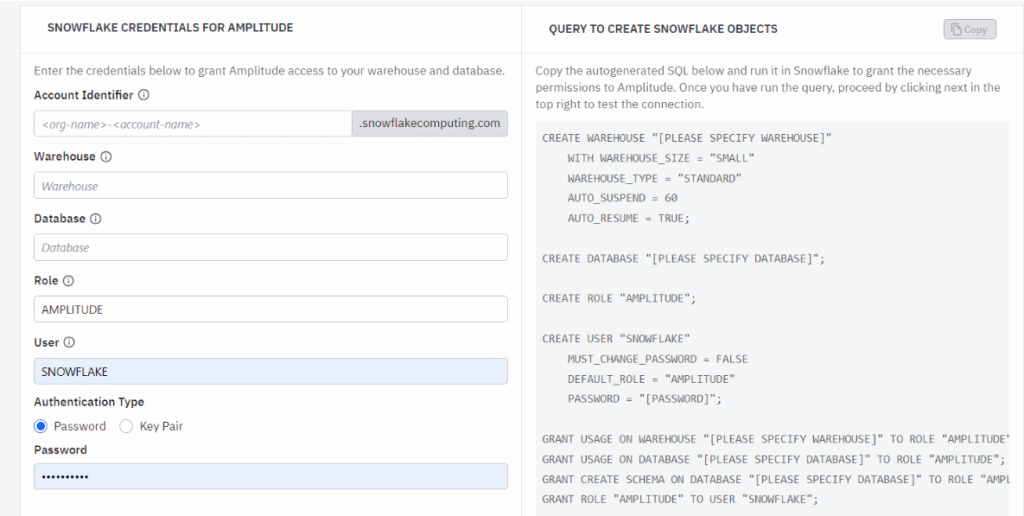
Provide the required connection details:
- Account Name (first part of your Snowflake URL)
- Warehouse (dedicated warehouse recommended)
- Database (where Amplitude data will be stored)
- Schema
- Role (defaults to AMPLITUDE)
- Authentication Method (password or key pair)
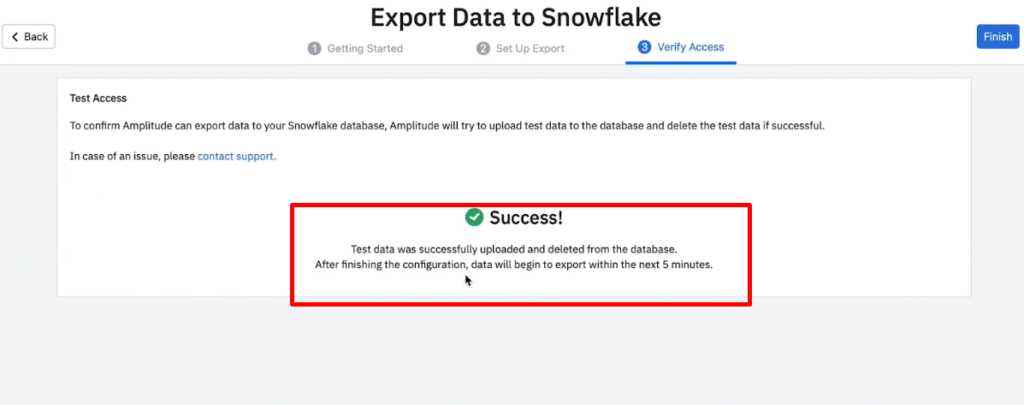
5. Test the Connection
Amplitude will test the credentials and attempt a small test upload.
If successful, click Finish to finalize the integration.
How the Data Export Works After Setup
After the integration is complete:
✔ Automated micro-batches every 5 minutes
✔ Data loaded to Snowflake every 10 minutes (or user-defined frequency)
✔ Data is typically available within ~20 minutes
Integrating Amplitude with Snowflake unlocks the full potential of your behavioral analytics and enterprise data. You gain unified visibility into customer journeys, advanced modeling capabilities, and powerful cross-functional insights.
Need help with Ampltitude? Email us at support@optizent.com or fill out the contact us form.