
Quora provides marketers with an effective platform for running highly targeted advertising campaigns. To ensure your campaigns perform optimally, accurate event tracking is essential. The Quora Conversions API (CAPI) tag for server-side Google Tag Manager (GTM), developed by Stape, allows you to capture events and user interactions reliably without relying on client-side tracking.
What is the Quora Conversions API Tag
The Quora CAPI tag enables your website or app to send events and relevant parameters directly to Quora servers through the Conversions API. Unlike the traditional Quora pixel, this server-side solution allows better control over the data you collect and is unaffected by browser restrictions or ad blockers.
Key differences from pixel tracking include:
- Improved reliability – events are sent even if users have ad blockers.
- Better privacy compliance – full control over what data is sent.
- Event deduplication – prevents duplicate events from being counted.
Using the Quora CAPI tag, you can track all standard Quora pixel events with greater precision and accuracy.
Why Use the Quora CAPI Tag
- Accurate tracking: Server-side implementation avoids limitations from browsers and ad blockers.
- Data control: Customize what information is sent, ensuring privacy compliance.
- Duplicate prevention: Deduplication ensures your reporting is clean and reliable.
- Full pixel functionality: All standard Quora events can be tracked server-side.
Step-by-Step Guide to Setting Up Quora CAPI in Server GTM
1. Set Up a Server GTM Container
Start by creating a server-side GTM container if you haven’t already. This container will handle the server-side tracking of your events and conversions.
2. Configure Event Flow from Web to Server
Ensure that your website is sending data to the server container. Common setups include:
- Server-side Google Analytics 4 for sending data to server from client
This allows the server container to receive event information from the client-side web container.
3. Add the Quora CAPI Tag
- Open the Server GTM Template Gallery.
- Locate the Quora Conversions API tag and add it to your container.
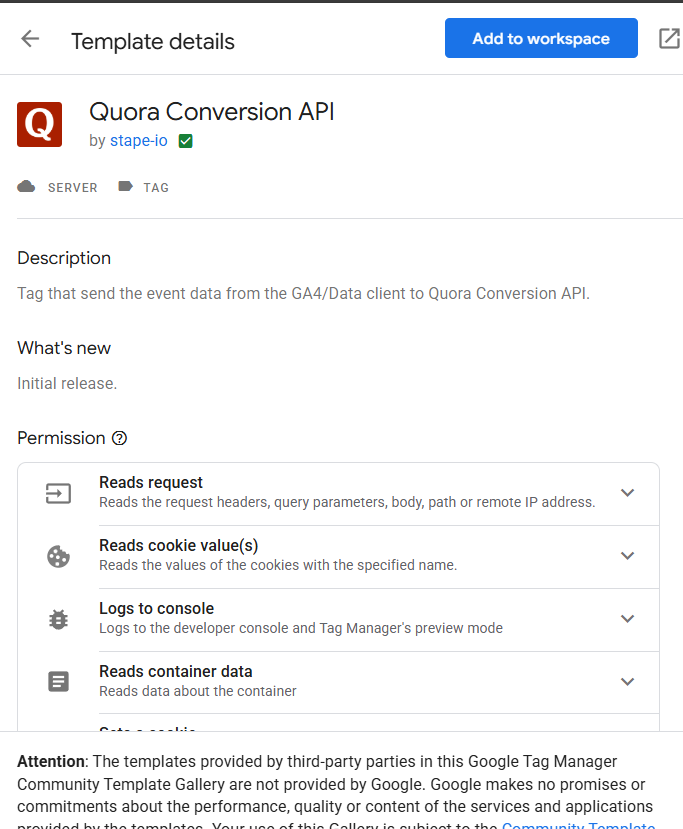
4. Configure the Tag
- Go to Tags → New → Quora Conversion API.
- Choose how to map events:
- Standard: Select from predefined Quora events.
- Inherit from Client: Automatically map server-side GTM events to Quora standard events.
5. Add Account Credentials
- In your Quora Ads account, generate an API Access Token under the Conversions API section.
- Enter your Account ID and generated token into the tag configuration.
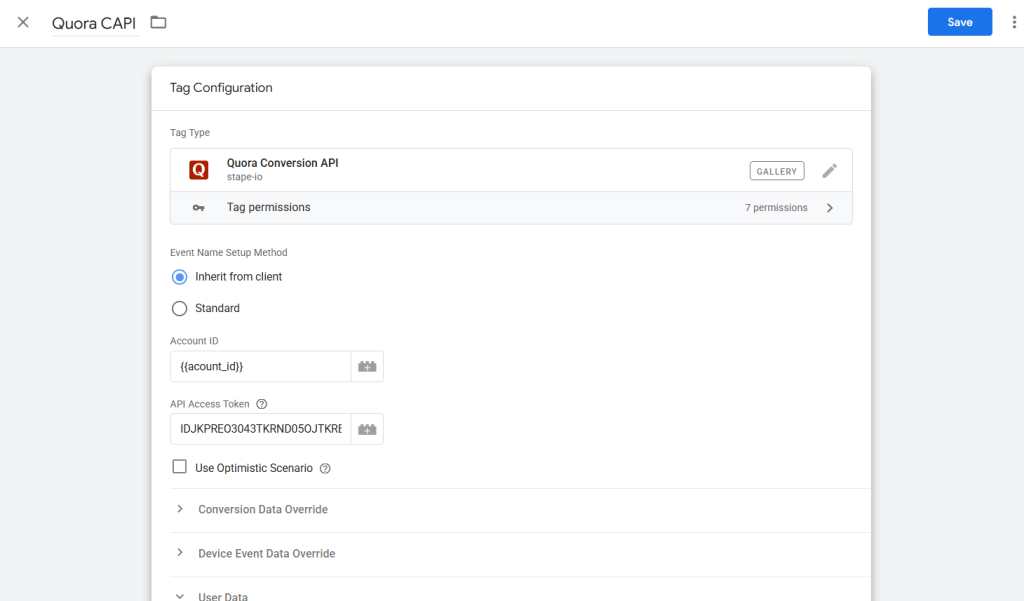
6. Customize Event Parameters (if needed).
You can modify fields such as Conversion Data, Device Event Data, and User Data to fit your tracking needs. Common parameters include click IDs, email hashes, or transaction details.
7. Add a Trigger
Define a trigger for when the tag should fire, such as on pageviews, conversions, or other custom events.
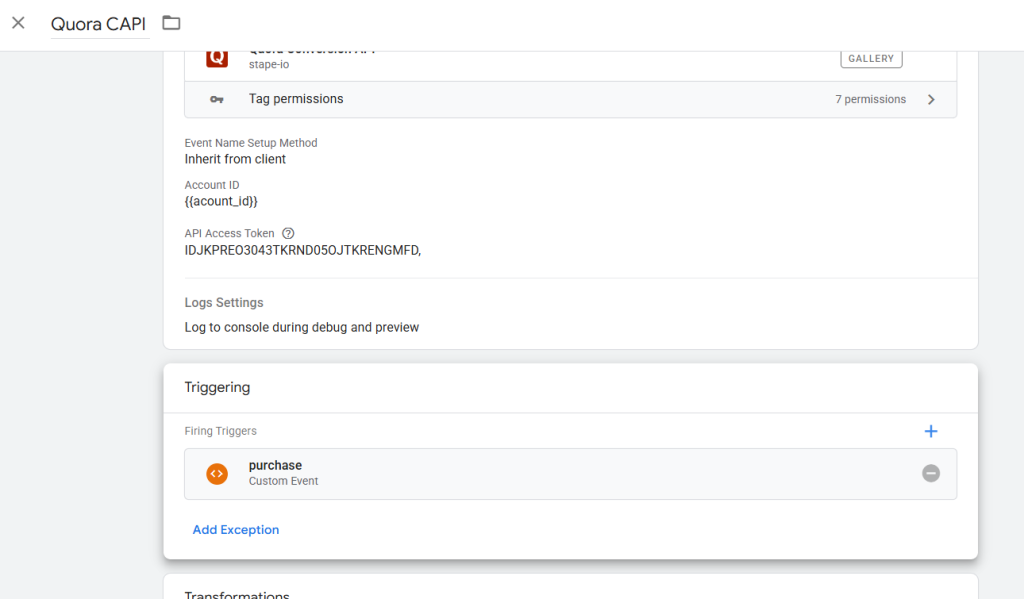
8. Test Your Setup
- Use the debug modes in both web and server GTM containers.
- Trigger test events to ensure the Quora CAPI tag fires correctly.
- Verify that events are sent to Quora accurately and troubleshoot if necessary.
Conclusion
Implementing the Quora Conversions API tag with server-side GTM enables accurate, reliable, and privacy-compliant tracking for your campaigns. Server-side setup ensures events are not blocked by ad blockers, supports deduplication, and provides full control over the data being sent.
By following this guide, you can set up Quora CAPI efficiently, monitor conversions accurately, and make informed decisions to optimize your Quora Ads campaigns.