
When Should You Delete a Property
- The property is completely obsolete and will never be used again.
- It was a mistake and should never have been tracked in the first place.
- You are nearing your project’s property limit and need to permanently remove unused properties to free up your quota.
Notes:
- It Stops Future Ingestion: Within about 30 minutes, Amplitude will stop collecting data for this property on all new events.
- Historical Data is Not Deleted: The raw data that has already been collected will remain in your storage, but the property will no longer be available in the Amplitude UI for analysis.
Step-by-Step Guide to Deleting a Property
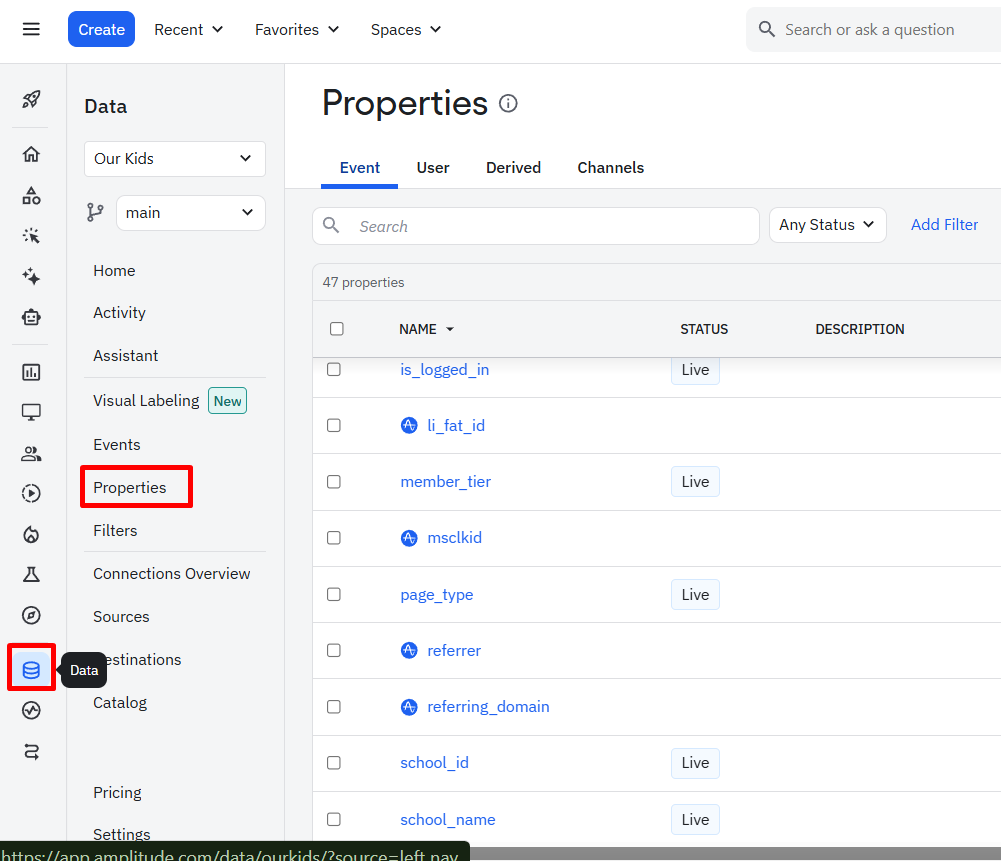
- In your Amplitude project, navigate to Data > Properties.
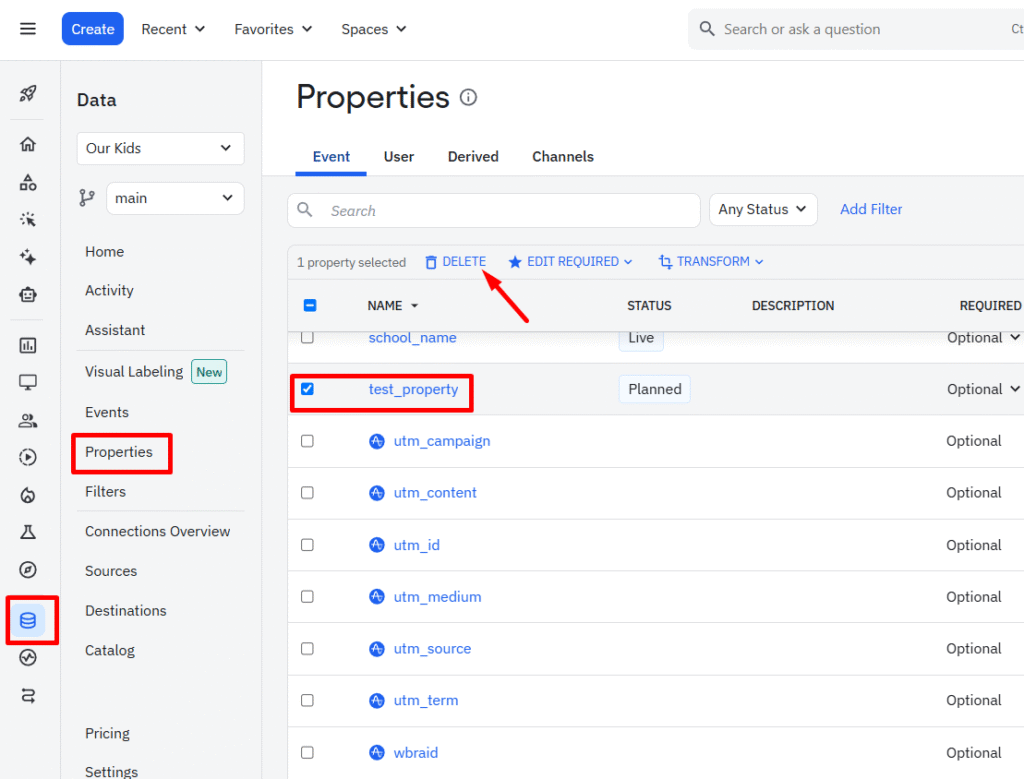
- Use the checkboxes to select the property (or properties) you wish to permanently delete.
- A confirmation modal will appear. To prevent accidental deletion of critical data, Amplitude requires you to confirm by typing a phrase like DELETE 1 PROPERTY.
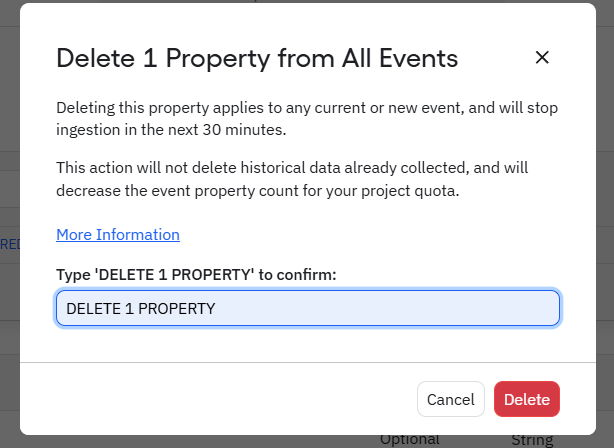
- After typing the confirmation, click the final Delete button.
Need help with Ampltitude? Email us at support@optizent.com or fill out the contact us form.
GET EXPERT ANALYTICS HELP
Need help with your analytics?
Tell us what you want to measure or what is getting in the way. Optizent can help with analytics implementation, audits, reporting, and training.
We will use these details to respond to your request. Please do not include passwords, account access, or customer data.