
Google Tag Manager adds built‑in GA Client ID, Session ID, and Session Number variables plus a new Analytics Storage variable type. Learn what changed and why it matters in this blog.
New GA-focused variables arrive in GTM
Google has released a meaningful update to Google Tag Manager that directly addresses one of the longest-standing pain points for analytics practitioners: reliable access to Google Analytics identifiers inside GTM.
As of December 11, 2025, GTM now includes three new built‑in variables and a new user‑defined variable type designed specifically for Google Analytics storage. Together, these changes provide an officially supported, first‑class way to retrieve client and session identifiers without custom JavaScript or cookie parsing.
This update applies to GA4 implementations and is available immediately in all GTM containers.
New built‑in variables (Utilities category)
Three new built‑in variables are now available under Utilities:
- Analytics Client ID
The pseudonymous identifier assigned to a user or device by Google Analytics. - Analytics Session ID
The unique identifier for the current GA session. - Analytics Session Number
The ordinal number of the current session for the user.
These variables read directly from Google Analytics storage and return the same identifiers GA uses internally.
How to enable them
The new Analytics Client ID, Analytics Session ID, and Analytics Session Number appear under the Utilities section once enabled by Google.
- Go to Google Tag Manager → Variables
- Click Configure under Built‑in Variables
- Enable:
- Analytics Client ID
- Analytics Session ID
- Analytics Session Number
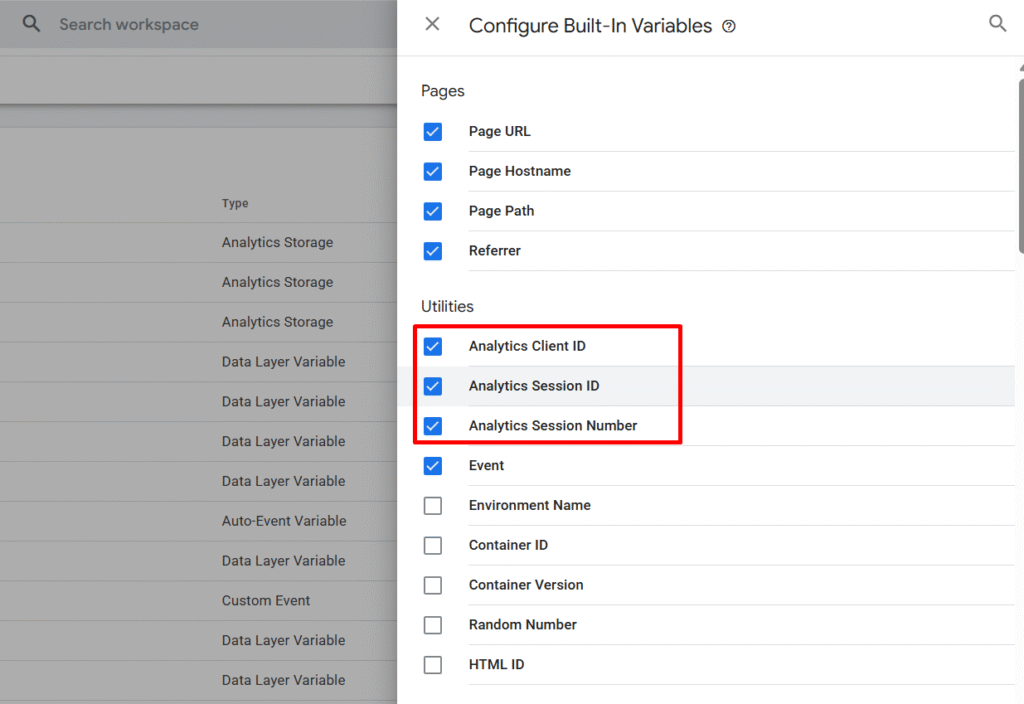
Once enabled, the variables are immediately available for use in tags, triggers, and variables.
No custom code. No cookie inspection. No brittle workarounds.
New user‑defined variable: Analytics Storage
In addition to the built‑in variables, GTM now introduces a new Analytics Storage user‑defined variable type.
This variable provides advanced configuration options for teams with more complex analytics setups.
Supported capabilities
When creating an Analytics Storage variable, you can:
- Select the data field to return:
- Client ID
- Session ID
- Session Number
- Optionally specify a Measurement ID
- Optionally define a custom cookie prefix
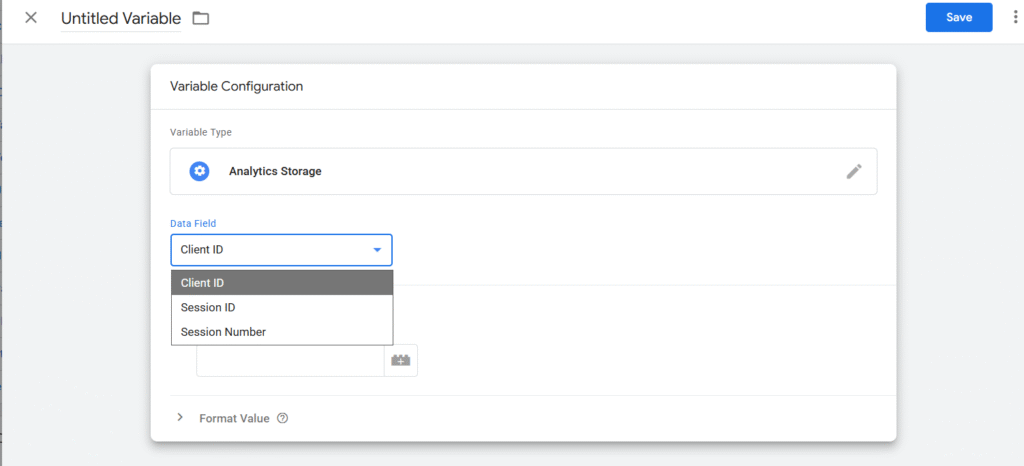
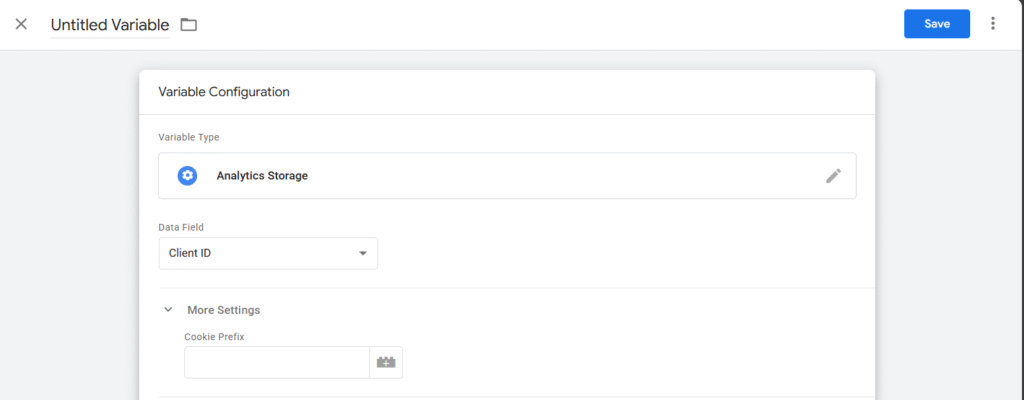
If a Measurement ID is provided, GTM will return the value corresponding to that specific GA4 property. If not, it will derive values from all relevant Google Analytics cookies.
This makes the variable suitable for:
- Multi‑property GA4 implementations
- Advanced server‑side or hybrid tracking setups
- Environments using non‑default cookie prefixes
Most standard implementations will not need a user‑defined variable. The built‑in versions will cover the majority of use cases.
Why this update matters
For years, retrieving GA client and session identifiers in GTM required:
- Custom JavaScript variables
- Manual cookie parsing
- Reverse‑engineering GA cookie formats
These approaches worked, but they were fragile. Small changes to cookie structure or timing could silently break tracking logic.
This update removes that risk.
Practical benefits
- Reliable identifier access
Use GA client and session IDs for CRM stitching, offline conversions, or external tool integrations - Cleaner debugging
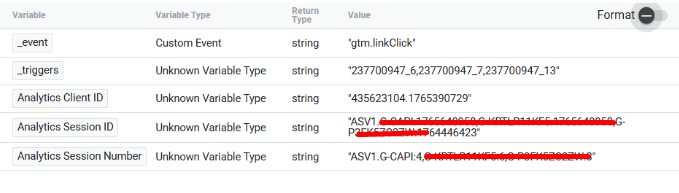
Session boundaries and client IDs are now visible directly in GTM Preview, making troubleshooting far more transparent. - Reduced data mismatch
Using GA’s own identifiers helps align GA4, Google Ads, Meta, and other platforms across client‑side and server‑side tracking. - Future‑proof implementations
These variables are officially supported, meaning they are far less likely to break with future GA or GTM changes.
Conclusion
This update marks a quiet but significant shift in how Google expects teams to work with analytics identifiers inside Google Tag Manager.
By introducing built‑in access to the GA Client ID, Session ID, and Session Number — along with a dedicated Analytics Storage variable type — Google has formally closed the gap between what GA relies on internally and what GTM users can safely access.
The practical implication is simple: fewer hacks, fewer edge‑case bugs, and far more confidence in how identifiers are shared across analytics, advertising, and downstream systems.
If your GTM container still relies on custom JavaScript to extract GA cookies, now is the time to refactor. The supported path is clearer, more stable, and better aligned with how modern measurement stacks are expected to operate.