
To track a form submission in Google Tag Manager, you can use a simple JavaScript event listener that captures all form inputs and pushes them into the dataLayer.
This is useful when you want to:
- Fire conversion tags on submission
- Capture submitted form fields
- Send lead data to analytics/ad platforms
Step 1: Select Your Form
First, identify the ID or class of the form you want to track.
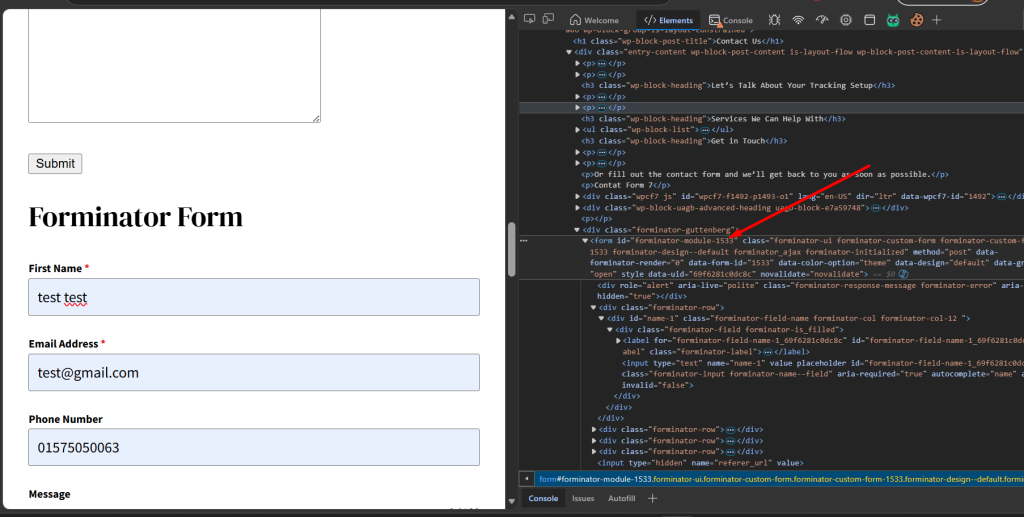
Example:
var contactForm = document.querySelector(‘#forminator-module-1533’);
You can find the form ID/class by inspecting the form in your browser.
Step 2: Test Input Values (Optional)
Before building the listener, it’s helpful to test whether the form values are being captured correctly.
Run this in your browser console:
var contactForm = document.querySelector(‘#forminator-module-1533’);
var formData = new FormData(contactForm);
var inputValues = {};
formData.forEach(function (value, key) {
inputValues[key] = value;
});
console.log(inputValues);
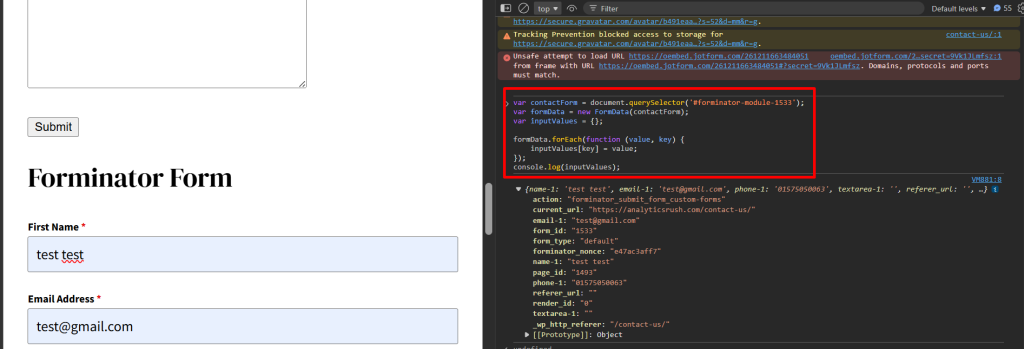
This will output all submitted form fields as an object.
Step 3: Add the Event Listener
Once you confirm the values are captured correctly, use the script below to push them into the dataLayer on form submission.
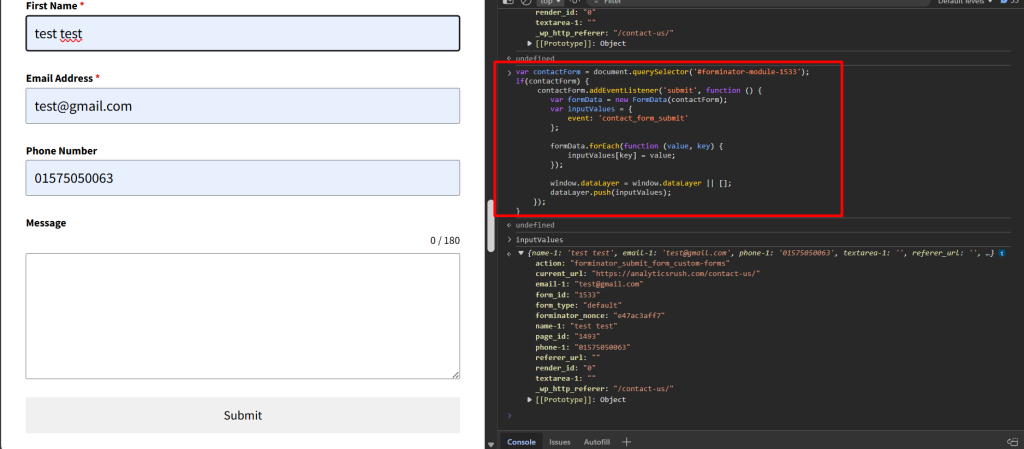
<script>
var contactForm = document.querySelector(‘#forminator-module-1533’);
if (contactForm) {
contactForm.addEventListener(‘submit’, function () {
var formData = new FormData(contactForm);
var inputValues = {
event: ‘contact_form_submit’
};
formData.forEach(function (value, key) {
inputValues[key] = value;
});
window.dataLayer = window.dataLayer || [];
dataLayer.push(inputValues);
});
}
</script>
What This Script Does
1. Listens for Form Submission
contactForm.addEventListener(‘submit’)
Triggers when the form is submitted.
2. Captures All Form Inputs
new FormData(contactForm)
Collects every submitted field automatically.
3. Pushes Data to Data Layer
Example result:
{
event: “contact_form_submit”,
first_name: “John”,
email: “john@example.com”,
phone: “123456789”
}
Step 4: Create GTM Trigger
Inside GTM:
- Trigger Type → Custom Event
- Event Name →
contact_form_submit
Important Note
This method works best when the form triggers a native submit event.
It may not work reliably for forms that:
- Submit via AJAX without native submit
- Use iframe embeds
- Prevent submission with custom JavaScript
In those cases, you may need a platform-specific listener.
Final Thoughts
This is one of the easiest ways to track custom form submissions when no built-in GTM trigger works reliably.
It gives you:
- Full form field capture
- Flexible dataLayer structure
- Easy integration with analytics and ad platforms