
Many GA4 audits start with tags, events, conversions, and reports.
While those elements are important, they often distract from a more fundamental question:
What is the business trying to achieve?
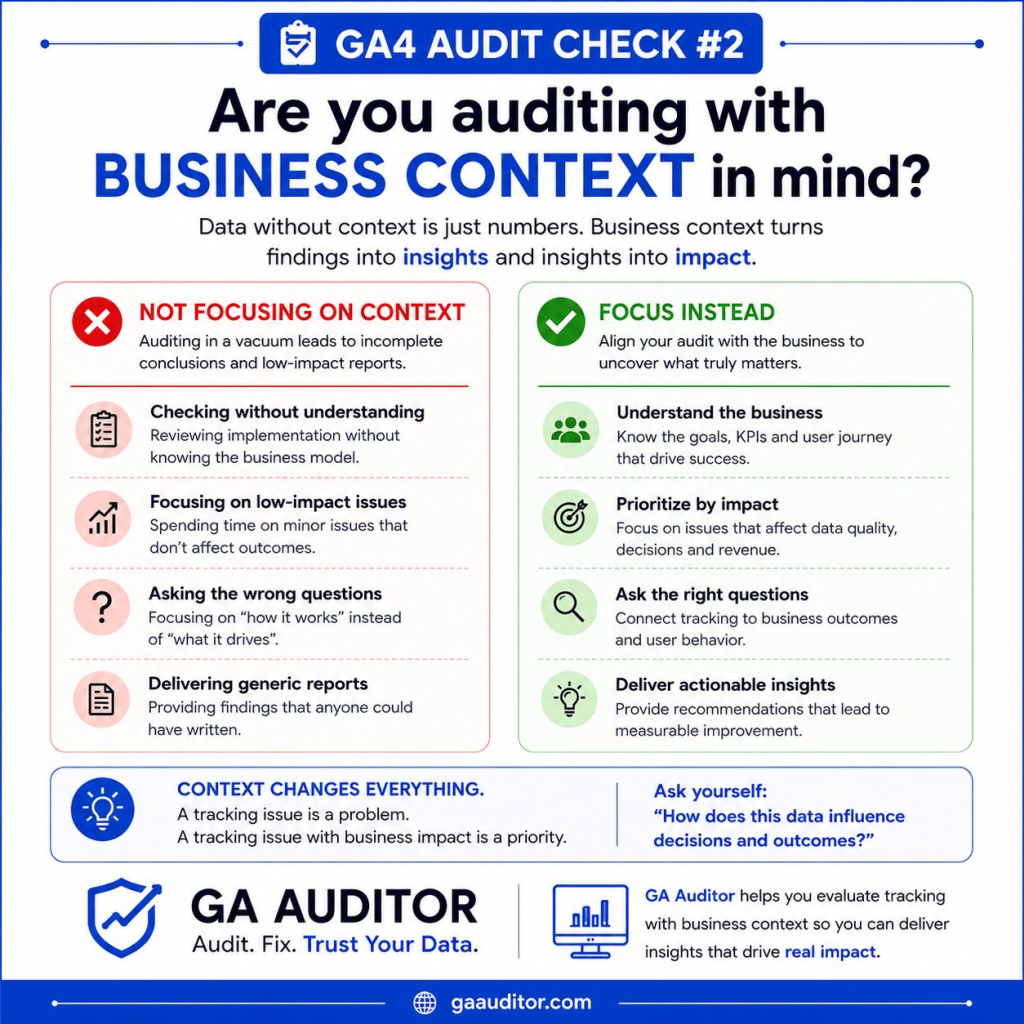
As a GA4 analyst, I’ve seen organizations invest significant time and money into analytics implementations only to discover that the data they’re collecting doesn’t answer the questions that matter most.
The issue isn’t always technical.
Sometimes the problem is that the implementation was built without a clear understanding of business objectives.
Before reviewing events, conversions, or dashboards, every GA4 audit should begin with business context.
Why Business Context Matters
GA4 is a measurement platform.
Its purpose is to help organizations understand user behavior and make better decisions.
But data only becomes valuable when it’s connected to business outcomes.
Without business context, teams often end up tracking:
- Page views
- Scroll depth
- Button clicks
- Engagement metrics
While these metrics can be useful, they rarely tell the full story.
The metrics that usually matter most are:
- Revenue
- Qualified leads
- Trial signups
- Customer acquisition
- Subscription purchases
- Product adoption
A successful GA4 implementation should help answer questions related to those outcomes.
The Most Common Problem We Find During Audits
One of the most common findings during GA4 audits is a disconnect between business goals and tracking strategy.
For example:
A company wants to generate qualified leads.
However, their GA4 property primarily tracks:
- Page views
- Scrolls
- Outbound clicks
Meanwhile, there is little visibility into:
- Lead quality
- Lead sources
- Form performance
- Sales-qualified opportunities
The organization is collecting data, but not necessarily the data they need.
What Happens When Business Goals Are Ignored?
Several issues begin to appear.
Meaningless Dashboards
Many dashboards contain dozens of charts and metrics.
The problem is that none of them answer important business questions.
Stakeholders see data.
They don’t see insights.
Misaligned Reporting
Marketing teams optimize campaigns based on engagement metrics while leadership focuses on revenue.
Different teams end up working toward different goals.
Missing Conversion Opportunities
Critical user actions may never be tracked because they weren’t identified during implementation.
This creates blind spots in reporting and optimization.
Difficulty Measuring Success
Without clearly defined objectives, it becomes difficult to answer questions such as:
- Is marketing working?
- Are campaigns generating qualified leads?
- Which channels produce revenue?
- Which content drives business outcomes?
Questions Every GA4 Audit Should Ask
Before reviewing events or reports, I recommend asking a few simple questions.
What Are the Primary Business Objectives?
Every organization has different priorities.
Examples include:
- Generate leads
- Increase ecommerce revenue
- Grow subscriptions
- Increase product usage
- Improve customer retention
These objectives should guide the measurement strategy.
What Actions Indicate Success?
Once business goals are defined, identify the actions that represent progress.
Examples:
Lead Generation Business:
- Contact form submission
- Demo request
- Consultation booking
Ecommerce Business:
- Add to cart
- Begin checkout
- Purchase
SaaS Business:
- Account creation
- Trial signup
- Subscription upgrade
Are These Actions Being Tracked?
This is where many implementations begin to break down.
The business knows what matters.
GA4 simply isn’t measuring it effectively.
A Framework for Auditing GA4 Against Business Goals
One of the simplest frameworks I use during audits looks like this:
Business Goal
↓
User Action
↓
GA4 Event
↓
Key Event
↓
Report
Let’s look at an example.
Goal: Generate Qualified Leads
User Action:
Submit demo request form
GA4 Event:
generate_lead
Key Event:
generate_lead marked as a Key Event
Report:
Lead source and campaign reporting
This framework ensures that every important business objective can be measured and analyzed.
Common Audit Findings
Tracking Too Many Things
Organizations often track everything because GA4 makes it easy.
The result is a large amount of data with very little business value.
Tracking Too Few Things
Other organizations only implement basic GA4 tracking and miss critical customer actions.
No Measurement Plan
Many teams cannot answer:
- Why are we tracking this event?
- Who requested it?
- What business question does it answer?
A measurement strategy should never be based on assumptions.
Key Events Don’t Reflect Business Value
This issue is so common that it became the first tip in our GA4 Audit Tips series.
If Key Events don’t align with business outcomes, reporting quickly becomes misleading.
How GA Auditor Helps
One of the goals of GA Auditor is to help organizations evaluate whether their GA4 implementation supports meaningful business reporting.
The platform reviews configuration, tracking, attribution, and reporting readiness across more than 150 audit checks.
But perhaps more importantly, it encourages teams to ask:
Are we measuring what actually matters?
Because collecting more data isn’t the objective.
Collecting useful data is.
Business Goal Audit Checklist
Use this quick checklist during your next GA4 review:
□ Define primary business objectives
□ Identify key user actions
□ Verify important actions are tracked
□ Review Key Events
□ Validate reporting requirements
□ Review stakeholder expectations
□ Confirm dashboards answer business questions
□ Document measurement strategy
Final Thoughts
It’s easy to get caught up in technical implementation details.
Events.
Parameters.
Tags.
Triggers.
Integrations.
All of those things matter.
But none of them matter if the implementation isn’t aligned with business goals.
Before auditing reports, conversions, or dashboards, take a step back and ask:
What does success look like for the business?
The answer to that question should drive everything else in your GA4 implementation.
Because the best analytics strategies don’t start with data.
They start with business outcomes.
Want to Go Deeper?
If you’re working on improving your GA4 implementation, data quality, or tracking setup:
- GA Auditor helps identify common GA4 and GTM implementation issues
- Optizent Academy offers practical courses on analytics insights, audits, and implementation guidance
- UTM Manager helps standardize campaign tracking and attribution data