
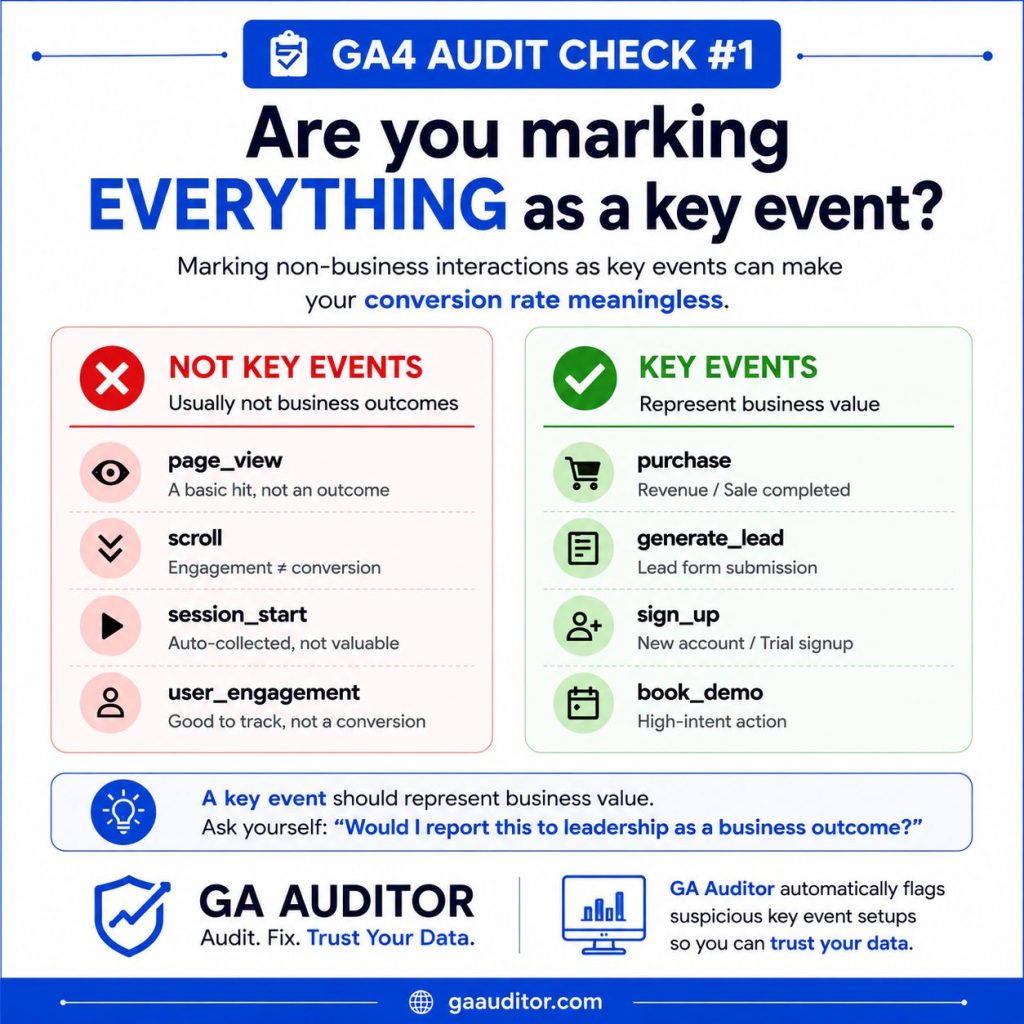
When I start a GA4 audit, one of the first things I review is the list of Key Events.
You might be surprised how often I find issues here.
On the surface, everything appears to be working. Events are firing, reports are populated, and dashboards look healthy. But once I dig deeper, I often discover that the wrong events have been marked as Key Events.
I’ve seen properties where page views, scroll events, file downloads, and button clicks were all marked as Key Events, while actual lead submissions or purchases were missing from the list.
The result?
Conversion reports that look impressive but don’t reflect meaningful business outcomes.
If you’re using GA4 to understand marketing performance, optimize campaigns, or measure business growth, your Key Event configuration deserves regular review.
What Are Key Events in GA4?
Key Events (previously called Conversions) are actions that GA4 treats as important business outcomes.
Examples include:
- Lead form submissions
- Demo requests
- Purchases
- Trial registrations
- Newsletter subscriptions
- Account creations
Not every event should be a Key Event.
The purpose of a Key Event is to identify actions that contribute measurable value to the business.
A simple question I often ask during audits is:
If this number increased by 20% next month, would leadership care?
If the answer is no, it may not belong in your Key Event list.
Why Misconfigured Key Events Are a Problem
Many organizations treat Key Events as a technical setup task.
In reality, they influence reporting, attribution, audience creation, campaign optimization, and business decisions.
When Key Events are configured incorrectly, several problems emerge.
Inflated Conversion Rates
If low-value actions such as scrolls or button clicks are marked as Key Events, conversion rates can become artificially high.
This creates a false sense of performance.
Misleading Marketing Insights
Imagine two campaigns:
Campaign A generates 100 button clicks.
Campaign B generates 20 qualified leads.
If button clicks are configured as Key Events, Campaign A may appear more successful despite producing less business value.
Poor Optimization Decisions
Many organizations use GA4 conversions in Google Ads.
If low-value actions are being imported as conversions, advertising platforms may optimize toward the wrong outcomes.
Stakeholder Confusion
When executives, marketers, and analysts have different definitions of success, reporting becomes difficult to trust.
A well-defined Key Event strategy helps align everyone around the same goals.
Common Issues I Find During GA4 Audits
After reviewing many GA4 implementations, several patterns appear repeatedly.
Too Many Key Events
Some properties have dozens of Key Events.
While it’s possible to track many important actions, an excessive list often indicates a lack of prioritization.
Not every interaction deserves conversion status.
Engagement Metrics Marked as Business Outcomes
Common examples include:
- scroll
- page_view
- session_start
- click
- video_start
These events can be useful for analysis, but they rarely represent meaningful business success on their own.
Missing Revenue-Generating Actions
In some cases, the opposite problem exists.
Organizations track engagement metrics but fail to track:
- Lead submissions
- Demo requests
- Purchases
- Trial signups
This creates gaps in reporting and attribution.
Historical Decisions Nobody Understands
One of the most common audit findings is a conversion list that nobody can explain.
Someone configured it years ago.
Team members changed.
Documentation disappeared.
Now nobody knows why certain events are marked as Key Events.
How to Audit Your Key Events
If you’re not sure whether your Key Events are configured correctly, start with a simple review.
Navigate to:
Admin → Events → Key Events
Then evaluate every Key Event individually.
Ask:
- Does this represent meaningful business value?
- Would stakeholders care if this number increased?
- Does this action contribute to revenue, lead generation, or customer acquisition?
- Is it being used for campaign optimization?
If the answer is no, it may not need Key Event status.
A Simple Framework for Evaluating Key Events
I often use this framework when auditing GA4 implementations.
Tier 1: Business Outcomes
These should almost always be Key Events.
Examples:
- Purchase
- Lead submission
- Demo request
- Trial signup
- Subscription purchase
Tier 2: High-Intent Actions
These may be Key Events depending on your business model.
Examples:
- Contact form submissions
- Quote requests
- Pricing page inquiries
Tier 3: Engagement Actions
Usually not Key Events.
Examples:
- Scrolls
- Button clicks
- Video views
- File downloads
These actions can provide valuable insight but should generally remain engagement metrics rather than business outcomes.
How GA Auditor Can Help
One challenge with GA4 is that data can look perfectly normal even when configuration issues exist.
Reports continue to populate.
Dashboards continue to update.
Meanwhile, hidden setup issues can affect reporting accuracy and decision-making.
GA Auditor was built to help identify these types of problems.
Our GA4 audit process reviews Key Events alongside more than 150 configuration, attribution, privacy, ecommerce, and data quality checks.
Instead of asking whether data exists, we focus on whether the data can be trusted.
Key Event Audit Checklist
Use this quick checklist to evaluate your implementation:
□ Review all Key Events in GA4
□ Confirm each Key Event represents business value
□ Remove low-value engagement metrics where appropriate
□ Verify lead and revenue actions are included
□ Review conversion imports into Google Ads
□ Document why each Key Event exists
□ Revisit Key Events at least quarterly
Final Thoughts
A surprisingly large number of GA4 reporting issues can be traced back to misconfigured Key Events.
The goal isn’t to track more conversions.
The goal is to track the right conversions.
When Key Events align with business outcomes, reporting becomes more meaningful, marketing optimization improves, and stakeholders gain greater confidence in the data.
If you haven’t reviewed your Key Events recently, now is a good time to start.
Because accurate reporting begins with measuring what truly matters.