
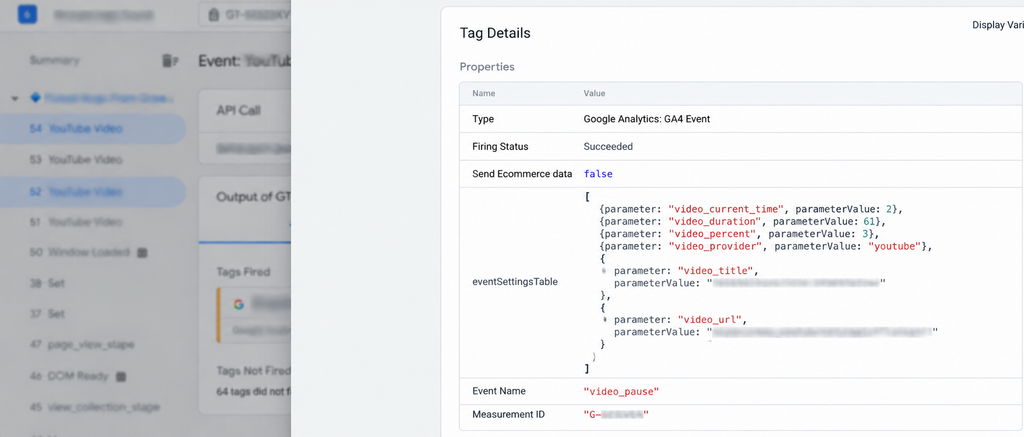
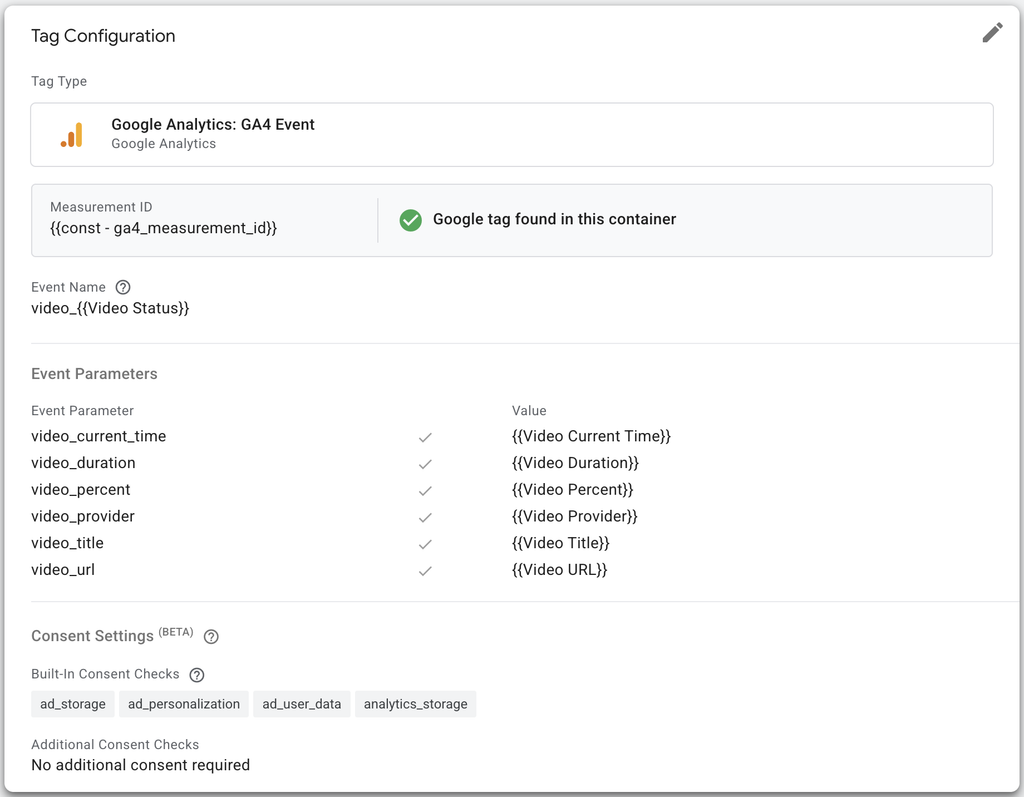
Tracking YouTube videos with Google Tag Manager (GTM) is normally straightforward. GTM provides a native YouTube Video trigger that can track events such as:
- Start
- Pause
- Seeking
- Buffering
- Complete
- 10% progress
- 25% progress
- 50% progress
- 75% progress
- 90% progress
- 100% progress
However, Shopify can make this more complicated when the YouTube video is lazy-loaded.
In this situation, the native GTM YouTube trigger may be configured correctly but still fail to detect the video.
The solution is to use two GTM components together:
- A GTM Custom Template to load and initialize the YouTube API.
- A small GTM Custom HTML tag to make Shopify’s lazy-loaded YouTube iframe available.
Once both pieces are working together, the native GTM YouTube trigger can track the video.
The Shopify Problem
The first thing to understand is how Shopify loads the video.
Instead of immediately creating an iframe like this:
<iframe
src=”https://www.youtube.com/embed/bxofDGdr8GY”>
</iframe>
the Shopify page may initially contain:
<iframe
data-src=”//www.youtube.com/embed/bxofDGdr8GY?controls=1&playlist=bxofDGdr8GY&loop=1&showinfo=0&rel=0&modestbranding=1″
src=””>
</iframe>
The important difference is:
data-src = YouTube URL
src = empty
The iframe exists, but the actual YouTube URL hasn’t been assigned to src yet.
This can create a timing problem for Google Tag Manager.
Why the Native GTM YouTube Trigger Doesn’t Always Work
The native GTM YouTube trigger expects to interact with a YouTube iframe.
But GTM may initialize while Shopify’s iframe still looks like:
src=””
Later, Shopify lazy-loads the video.
At that point, GTM’s original YouTube listener may already have initialized without detecting the video.
This creates the following sequence:
GTM initializes
↓
YouTube iframe exists
↓
src is empty
↓
GTM cannot properly attach to video
↓
Shopify later loads the iframe
↓
YouTube video becomes available
↓
Native GTM trigger has already initialized
The result is a video that plays normally but doesn’t generate the expected GTM YouTube events.
The Solution: Two GTM Components
The working solution uses two separate pieces.
Component 1 — GTM Custom Template
The Custom Template loads the YouTube IFrame API and creates the YouTube player.
Component 2 — GTM Custom HTML
The Custom HTML tag takes Shopify’s lazy-loaded URL from data-src and puts it into src.
Together they solve the initialization problem.
Part 1: GTM Custom Template
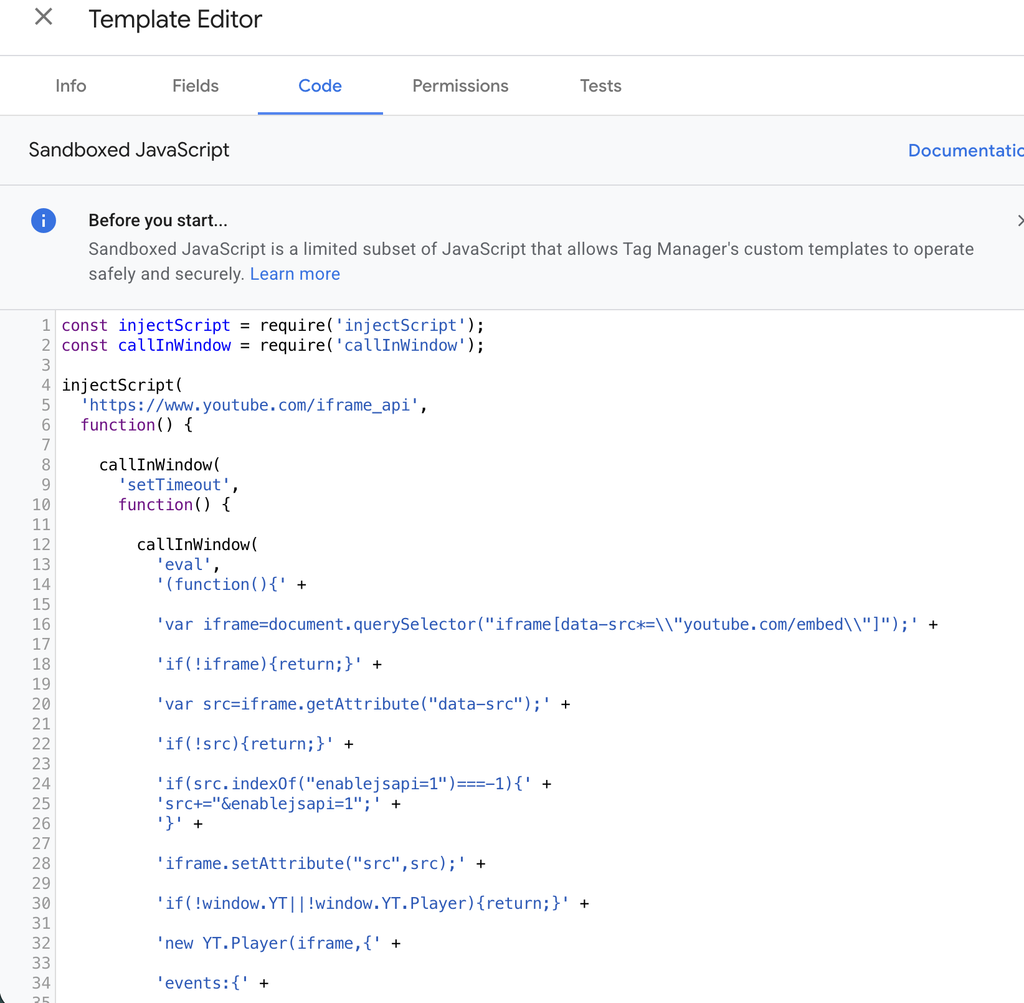
Create a GTM Custom Template and use the following code:
const injectScript = require(‘injectScript’);
const callInWindow = require(‘callInWindow’);
injectScript(
‘https://www.youtube.com/iframe_api’,
function() {
callInWindow(
‘setTimeout’,
function() {
callInWindow(
‘eval’,
‘(function(){‘ +
‘var iframe=document.querySelector(“iframe[data-src*=\\”youtube.com/embed\\”]”);’ +
‘if(!iframe){return;}’ +
‘var src=iframe.getAttribute(“data-src”);’ +
‘if(!src){return;}’ +
‘if(src.indexOf(“enablejsapi=1”)===-1){‘ +
‘src+=”&enablejsapi=1″;’ +
‘}’ +
‘iframe.setAttribute(“src”,src);’ +
‘if(!window.YT||!window.YT.Player){return;}’ +
‘new YT.Player(iframe,{‘ +
‘events:{‘ +
‘onStateChange:function(e){‘ +
‘var action=null;’ +
‘if(e.data===YT.PlayerState.PLAYING){action=”play”;}’ +
‘if(e.data===YT.PlayerState.PAUSED){action=”pause”;}’ +
‘if(e.data===YT.PlayerState.ENDED){action=”complete”;}’ +
‘if(action){‘ +
‘window.dataLayer=window.dataLayer||[];’ +
‘window.dataLayer.push({‘ +
‘event:”youtube_custom”,’ +
‘youtube_action:action,’ +
‘youtube_video_id:e.target.getVideoData().video_id||””‘ +
‘});’ +
‘}’ +
‘}’ +
‘}’ +
‘});’ +
‘})()’
);
},
1000
);
data.gtmOnSuccess();
},
function() {
data.gtmOnFailure();
},
‘youtube-api’
);
What does this template do?
The template performs several tasks.
First, it loads the YouTube IFrame API:
injectScript(
‘https://www.youtube.com/iframe_api’,
It then waits briefly before looking for the Shopify YouTube iframe.
The template searches for:
iframe[data-src*=”youtube.com/embed”]
It retrieves the URL from:
iframe.getAttribute(‘data-src’)
and adds:
enablejsapi=1
The iframe can then be initialized through:
new YT.Player(…)
The template also pushes custom events into the dataLayer for:
- Play
- Pause
- Complete
For example:
{
event: “youtube_custom”,
youtube_action: “play”,
youtube_video_id: “bxofDGdr8GY”
}
Part 2: GTM Custom HTML
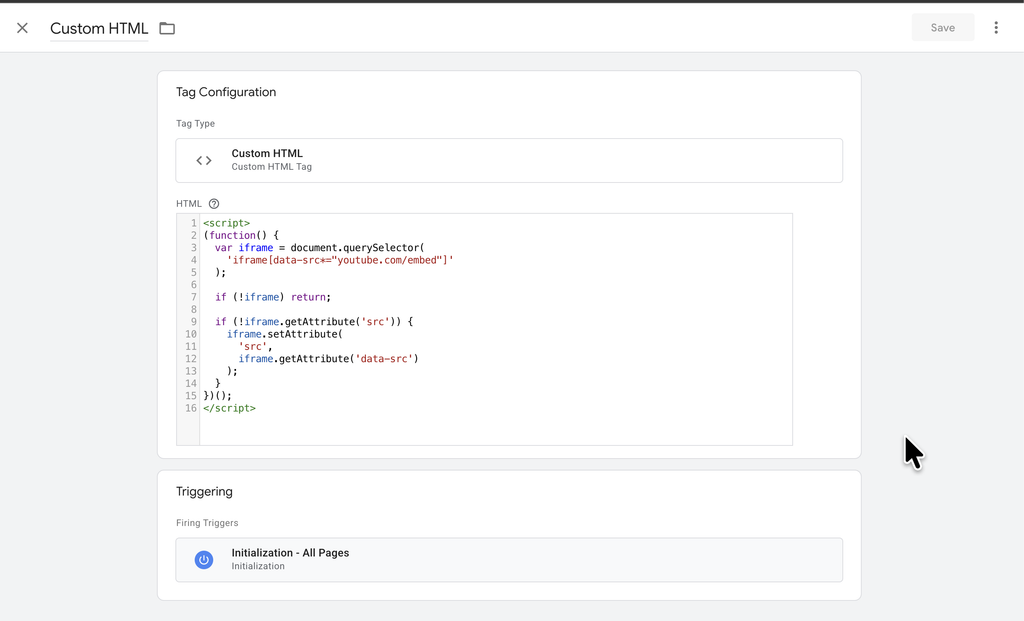
The second part is a very small Custom HTML tag.
Create a Custom HTML tag in GTM and add:
<script>
(function() {
var iframe = document.querySelector(
‘iframe[data-src*=”youtube.com/embed”]’
);
if (!iframe) return;
if (!iframe.getAttribute(‘src’)) {
iframe.setAttribute(
‘src’,
iframe.getAttribute(‘data-src’)
);
}
})();
</script>
This code solves a different part of the problem.
It looks for the Shopify YouTube iframe:
iframe[data-src*=”youtube.com/embed”]
Then it checks whether the iframe has a src.
If src is empty, it copies the value from data-src:
data-src → src
For example, Shopify starts with:
<iframe
data-src=”//www.youtube.com/embed/bxofDGdr8GY…”
src=””>
</iframe>
The Custom HTML changes it to:
<iframe
data-src=”//www.youtube.com/embed/bxofDGdr8GY…”
src=”//www.youtube.com/embed/bxofDGdr8GY…”>
</iframe>
Now the YouTube iframe is actually loaded.
Why Both Are Needed
This is the important part.
The two pieces are not duplicates.
They solve two different parts of the initialization problem.
Custom HTML
Makes Shopify’s lazy-loaded iframe available:
data-src
↓
src
↓
YouTube iframe loads
Custom Template
Initializes the YouTube API/player:
YouTube iframe
↓
YouTube IFrame API
↓
YT.Player
↓
YouTube events
The overall flow is:
Shopify
↓
Lazy-loaded YouTube iframe
↓
data-src contains YouTube URL
↓
Custom HTML
↓
data-src → src
↓
YouTube iframe loads
↓
Custom Template
↓
YouTube IFrame API
↓
YT.Player
↓
GTM YouTube tracking
↓
Data Layer
↓
GA4
In this Shopify implementation, both components are part of the working solution.
Configure the Native GTM YouTube Trigger
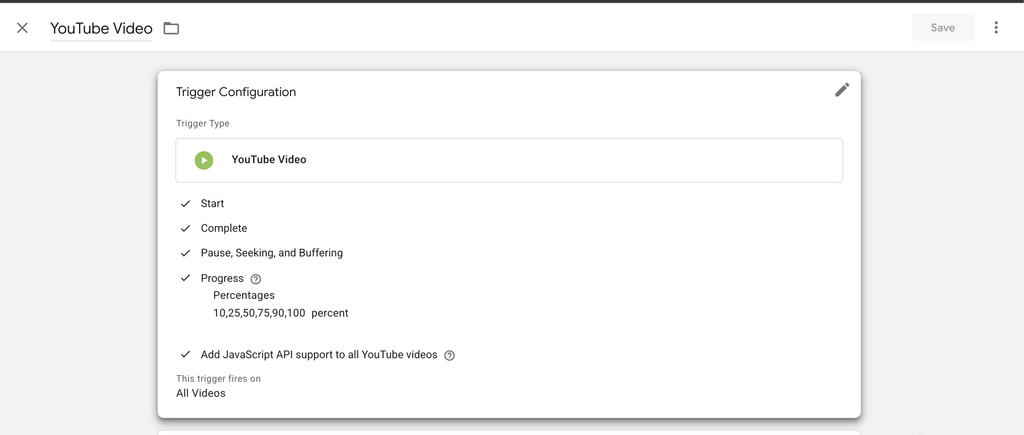
After implementing the two tags, create your normal GTM YouTube Video trigger.
Select:
Capture
Start
Complete
Pause / Seeking / Buffering
Progress
- 10%
- 25%
- 50%
- 75%
- 90%
- 100%
Also enable:
Add JavaScript API support to all YouTube videos
Set the trigger to:
All YouTube videos
Troubleshooting Shopify YouTube Tracking
If the native GTM YouTube trigger isn’t firing, inspect the iframe first.
Look for:
data-src=”https://www.youtube.com/embed/…”
src=””
If you find that structure, Shopify’s lazy-loading behavior is likely preventing GTM from detecting the video during its initial setup.
After the Custom HTML tag executes, the iframe should have a real src.
You can also use GTM Preview Mode to verify whether the YouTube trigger starts generating events.
Why This Approach Is Useful
The advantage of this setup is that you don’t need to replace GTM’s native YouTube tracking system.
Instead, you fix the underlying Shopify iframe initialization problem and allow GTM to continue doing what it already does well.
The architecture is therefore:
Shopify lazy loading → GTM initialization workaround → native YouTube trigger → GA4
rather than building an entirely separate YouTube tracking system.
Final Takeaway
If you’re tracking YouTube videos embedded in Shopify and the native GTM YouTube trigger isn’t firing, check the iframe before rebuilding your tracking setup.
If Shopify is using:
data-src=”https://www.youtube.com/embed/…”
src=””
the issue may simply be that the YouTube iframe isn’t available when GTM initializes.
In this implementation, two GTM components work together:
Custom HTML
Moves the lazy-loaded YouTube URL from data-src to src.
Custom Template
Loads the YouTube IFrame API and initializes the player.
Then the native GTM YouTube trigger can capture the video’s interactions.
Sometimes the tracking problem isn’t the trigger itself.
It’s the way Shopify loads the video.